Creative résumé templates
The 12 creative templates are the boldest in the catalogue: a dark sidebar for Night, Midnight, Coral, Neon and Clay, illustrated backgrounds for Terracotta, Dunes, Mist, Pastel and Ocean, marble for Mineral. They give a strong visual identity at first glance.
They are made for creative, service and retail roles, and for every application where a person reads the résumé before software does: a speculative application, a small company, a portfolio. With recruiting software, columns and dark backgrounds are riskier. Edge and Mineral, with one column, keep a creative character while reading simply. When in doubt, run your PDF through the free ATS check. Terracotta and Dunes, laid out as a timeline, tell a career like a story. Night, Midnight, Coral and Neon are the boldest templates in the whole catalogue.
The 12 templates
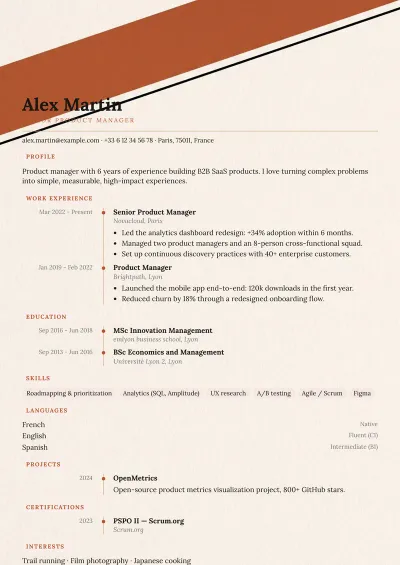
Terracotta
Bold · Creative · Service & retail · Education & research
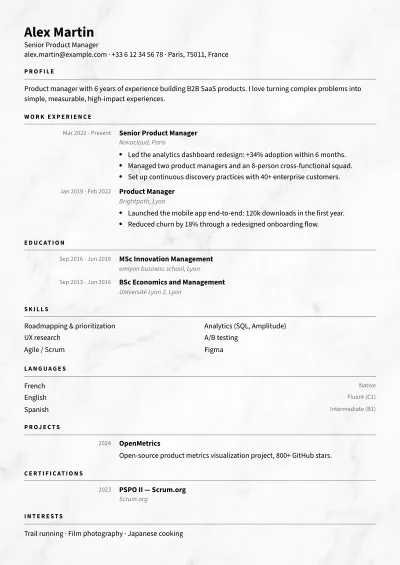
Mineral
Balanced · Creative · Business & management · Law & finance
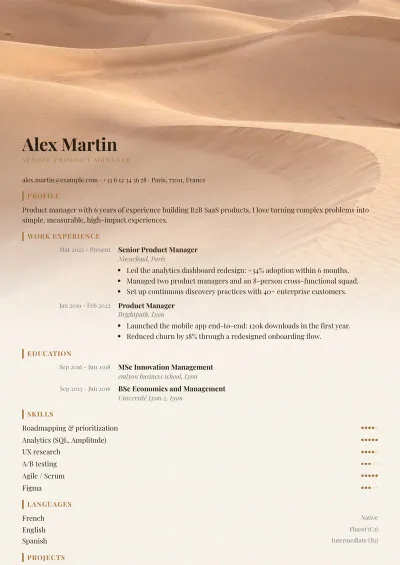
Dunes
Bold · Creative · Service & retail
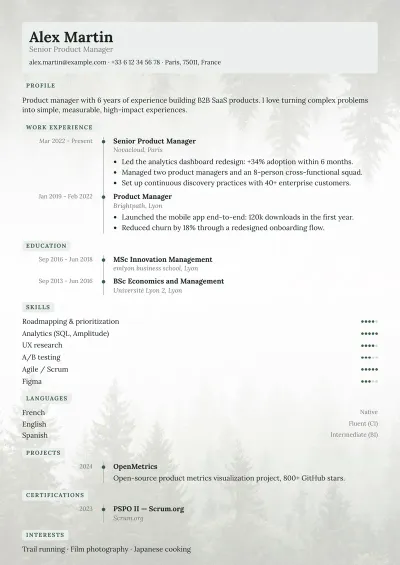
Mist
Bold · Creative · Health & care · Education & research
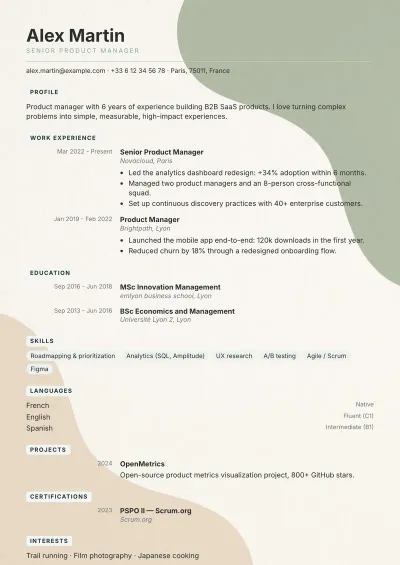
Pastel
Bold · Creative · Health & care · Service & retail
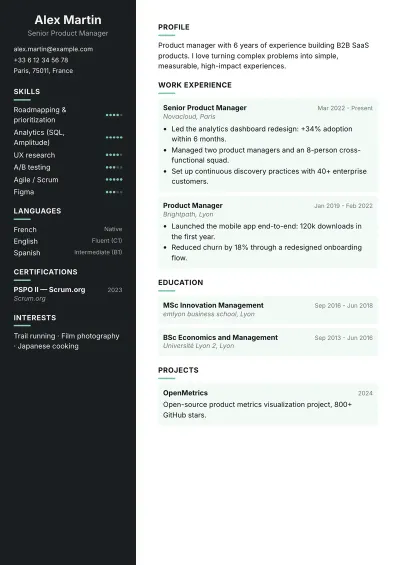
Night
Very bold · Tech & data · Creative
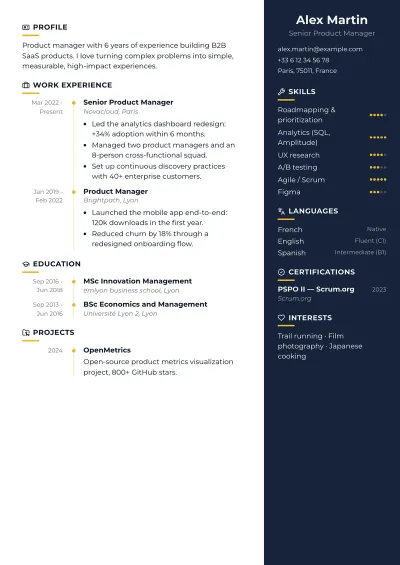
Midnight
Very bold · Business & management · Tech & data · Creative
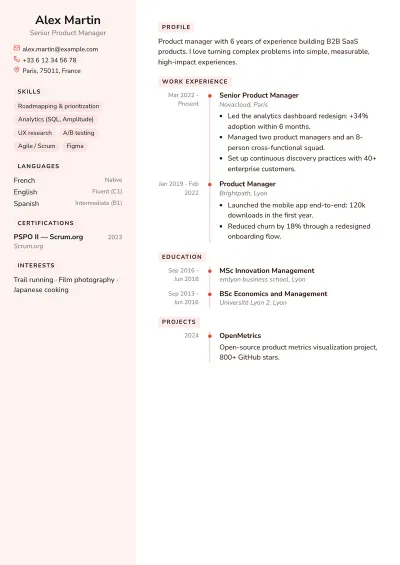
Coral
Very bold · Service & retail · Creative · Health & care
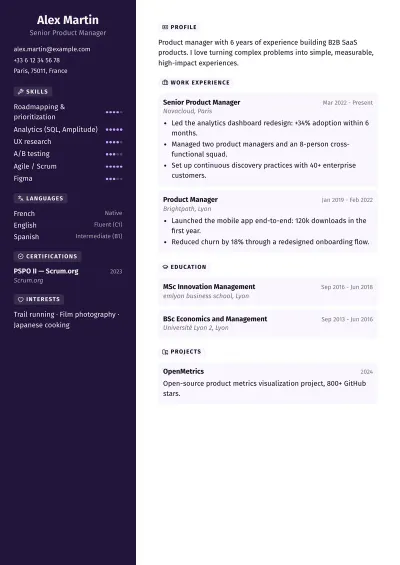
Neon
Very bold · Tech & data · Creative
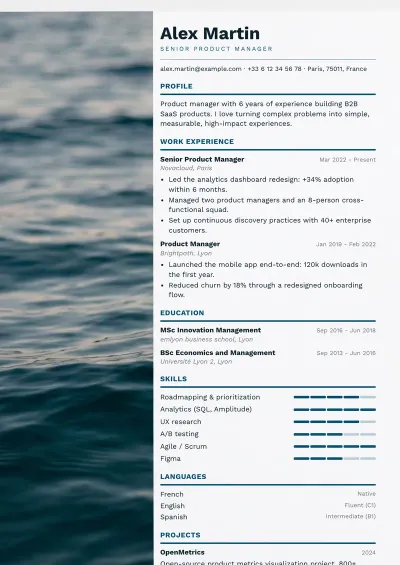
Ocean
Bold · Service & retail · Engineering & public sector · Business & management
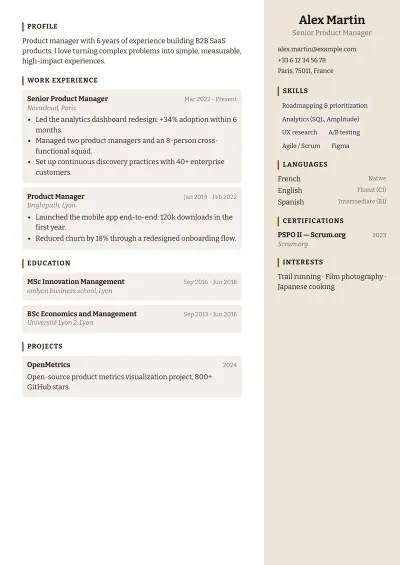
Clay
Bold · Creative · Service & retail
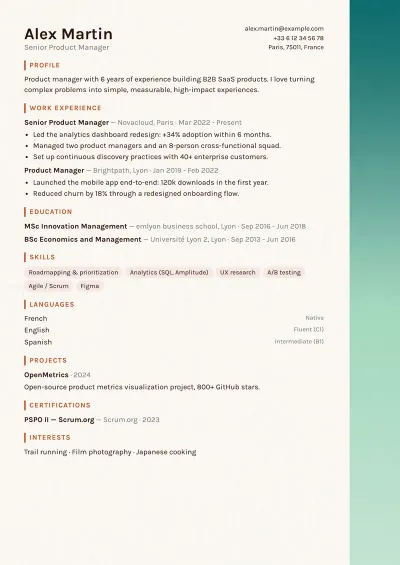
Edge
Balanced · Creative · Business & management
Who this family is for
Creative templates are for roles where a visual identity is expected: design, communications, events, fashion, hospitality, retail. They work best when a person reads the résumé first: a speculative application, a small company, a careers fair, a résumé sent straight to a manager or attached to a portfolio. The dark sidebars of Night, Midnight, Coral and Neon, like the illustrated backgrounds, give a strong character at first glance; Edge, Mineral and Ocean, with one column, keep that character while reading more simply.
Layout tips
- Let the template carry the originality: plain text, with no added effects, stands out better on an illustrated background or a dark sidebar.
- If the résumé may be printed, check that a dark sidebar stays readable in black and white.
- Keep a simple version of the same résumé for online applications: in the editor, switching templates does not mean typing your content again.
- If you do send this résumé through a form, run it through the free ATS check first to see what gets in the way of reading it.